National Standard Menu
Pizza Hut Menu Calories
Browse one canonical card per recognizable product, compare its supported configurations, and continue to the calculator for a meal total.
Menu category
Pizza
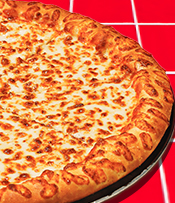
Cheese Pizza
Classic cheese pizza with source-backed size and crust choices.
110–370 calories per listed servingUdi's Gluten-Free · Gluten Free Crust · Large · Hand Tossed · Large · Original Pan · Large · Original Stuffed CrustConfigure in calculator
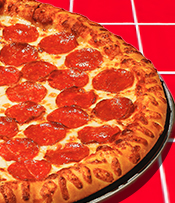
Pepperoni Pizza
Pizza topped with pepperoni.
110–380 calories per listed servingUdi's Gluten-Free · Gluten Free Crust · Large · Hand Tossed · Large · Original Pan · Large · Original Stuffed CrustConfigure in calculator
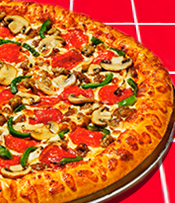
Supreme Pizza
The official Supreme recipe; recipe edits are not estimated.
120–410 calories per listed servingUdi's Gluten-Free · Gluten Free Crust · Large · Hand Tossed · Large · Original Pan · Large · Original Stuffed CrustConfigure in calculator
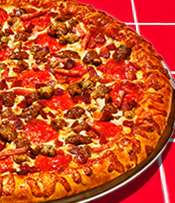
Meat Lover's Pizza
The fixed official Meat Lover’s recipe.
160–480 calories per listed servingUdi's Gluten-Free · Gluten Free Crust · Large · Hand Tossed · Large · Original Pan · Large · Original Stuffed CrustConfigure in calculator
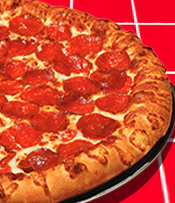
Pepperoni Lover's Pizza
The fixed official Pepperoni Lover’s recipe.
140–450 calories per listed servingUdi's Gluten-Free · Gluten Free Crust · Large · Hand Tossed · Large · Original Pan · Large · Original Stuffed CrustConfigure in calculator
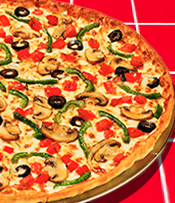
Veggie Lover's Pizza
The fixed official Veggie Lover’s recipe.
100–350 calories per listed servingUdi's Gluten-Free · Gluten Free Crust · Large · Hand Tossed · Large · Original Pan · Large · Original Stuffed CrustConfigure in calculator
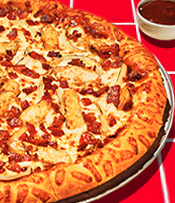
Backyard BBQ Chicken Pizza
The fixed official Backyard BBQ Chicken recipe.
130–400 calories per listed servingLarge · Hand Tossed · Large · Original Pan · Large · Original Stuffed Crust · Large · Thin 'N CrispyConfigure in calculator
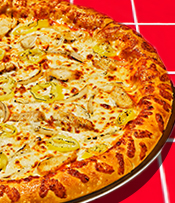
Buffalo Chicken Pizza
The fixed official Buffalo Chicken recipe.
100–350 calories per listed servingLarge · Hand Tossed · Large · Original Pan · Large · Original Stuffed Crust · Large · Thin 'N CrispyConfigure in calculator
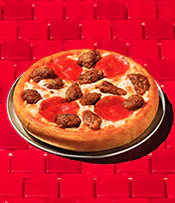
Create Your Own Pizza
Choose a source-backed size, crust, sauce, cheese, toppings, and optional finisher. The official component template changes automatically at three toppings.
Build a source-backed pizza14 size and crust configurationsConfigure in calculatorMenu category
Melts
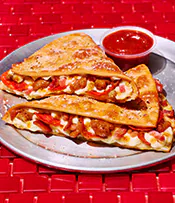
Meat Lover's Melt
Choose the official half or whole Melt serving.
560–1080 calories per listed servingHalf Melt · Whole MeltConfigure in calculator
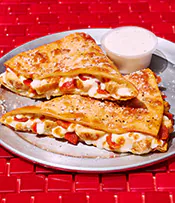
Chicken Bacon Parmesan Melt
Choose the official half or whole Melt serving.
690–1170 calories per listed servingHalf Melt · Whole MeltConfigure in calculator
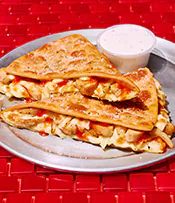
Buffalo Chicken Melt
Choose the official half or whole Melt serving.
610–1100 calories per listed servingHalf Melt · Whole MeltConfigure in calculator
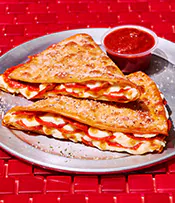
Pepperoni Lover's Melt
Choose the official half or whole Melt serving.
580–1130 calories per listed servingHalf Melt · Whole MeltConfigure in calculatorMenu category
Wings
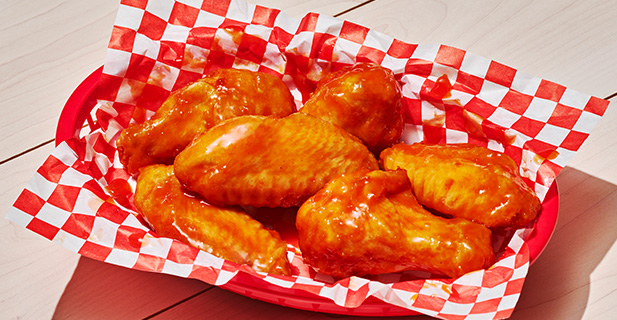
Wings
Choose wing type, count, and one official flavor. Flavor rows already include the sauce or rub and are never counted twice.
80–140 calories per listed serving2 wing types · up to 10 flavorsConfigure in calculatorMenu category
Pasta
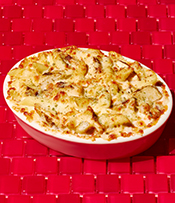
Oven-Baked Chicken Alfredo Pasta
One source-backed order.
920 calories per listed serving1 orderConfigure in calculator
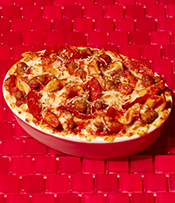
Oven-Baked Italian Meats Pasta
One source-backed order.
850 calories per listed serving1 orderConfigure in calculator
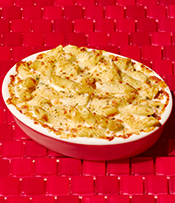
Oven-Baked Cheesy Alfredo Pasta
One source-backed order.
880 calories per listed serving1 orderConfigure in calculator
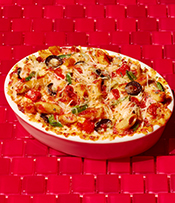
Oven-Baked Veggie Pasta
One source-backed order.
640 calories per listed serving1 orderConfigure in calculatorMenu category
Sides
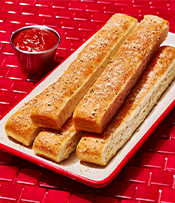
Breadsticks
Nutrition shown per stick; adjust quantity in your meal.
140 calories per listed serving1 stickConfigure in calculator
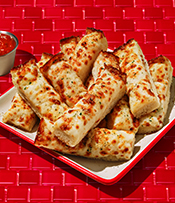
Cheese Sticks
Nutrition shown per cheese stick.
100 calories per listed serving1 stickConfigure in calculator
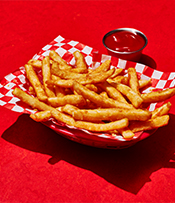
Straight-Cut Fries
One source-backed serving with ketchup.
500 calories per listed serving1 servingConfigure in calculatorMenu category
Desserts
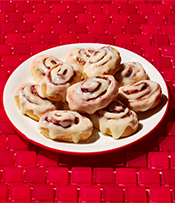
Cinnabon Mini Rolls
Nutrition is shown for the official serving basis.
830 calories per listed serving1 order (10 rolls)Configure in calculator
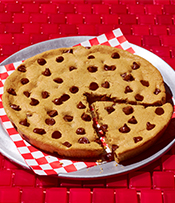
Ultimate Chocolate Chip Cookie
Nutrition is shown for the official serving basis.
190 calories per listed serving1/8 cookieConfigure in calculator
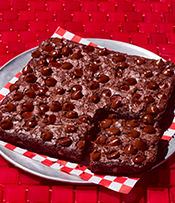
Triple Chocolate Brownie
Nutrition is shown for the official serving basis.
230 calories per listed serving1/9 brownieConfigure in calculator
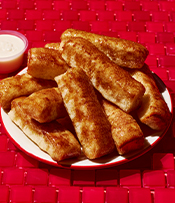
Cinnamon Sticks
Nutrition is shown for the official serving basis.
40 calories per listed serving1 stickConfigure in calculatorMenu category
Drinks
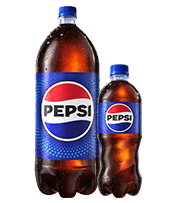
Pepsi
Choose the current national bottle size.
250–840 calories per listed serving20 fl oz · 2 literConfigure in calculator
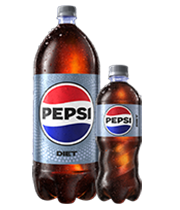
Diet Pepsi
Choose the current national bottle size.
0 calories per listed serving20 fl oz · 2 literConfigure in calculator
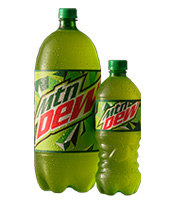
Mtn Dew
Choose the current national bottle size.
290–950 calories per listed serving20 fl oz · 2 literConfigure in calculator
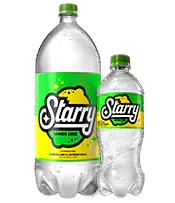
Starry
Choose the current national bottle size.
240–900 calories per listed serving20 fl oz · 2 literConfigure in calculatorMenu category
Dips
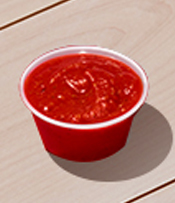
Dipping Sauce
Choose a source-backed dip. Garlic is not shown because the dated nutrition source has no auditable standalone mapping.
45–220 calories per listed servingMarinara · Blue Cheese · Honey BBQ / Barbeque (3 oz) · RanchConfigure in calculatorMenu calorie guide
How to read Pizza Hut menu calories by product, configuration, and serving
Pizza Hut menu calories make sense only when the product name, configuration, and source serving are read together. The directory above keeps each recognizable National Standard Menu product in one place, then sends supported size, crust, sauce, cheese, topping, flavor, count, or portion choices to the calculator. This guide explains what the cards include, how their calorie labels work, and how to turn a directory result into a meal total without mistaking a range, slice, piece, order, or bundle for the amount actually eaten.
Use the product cards first when you want a fast category scan. Use the sections below when you need a repeatable comparison method, category-specific serving context, source boundaries, or an answer to a common menu question.
What is included in this Pizza Hut menu calories directory?
This is a nutrition-oriented directory for the nationwide core menu represented by the dated source snapshot. It contains 30 canonical products across eight categories: pizza, Melts, wings, pasta, sides, desserts, drinks, and dips. Canonical means a recognizable product appears once. Pepperoni Pizza does not become a new directory card for every supported size and crust, and wings do not become dozens of separate cards for every type, count, and flavor. Those choices remain configurations because the nutrition value depends on the combination selected.
That structure keeps the menu scannable while preserving the detail needed for arithmetic. A card tells you the product category, a short description, the calorie value or range represented by its supported rows, and the choices available in the calculator. The Configure in calculator link carries the product identifier to the main tool, where the relevant controls open. It does not place an order, select a restaurant, or promise that the item is available near you.
The directory intentionally leaves out regional records, buffet and Express items, alcohol, historical entries, limited-time products, and source rows that could not be matched to current core-menu evidence. Exclusion is a scope decision, not a claim that an item never exists. If the product you have is not represented, do not choose a similar name and assume the same calories. Check current Pizza Hut nutrition information for the exact item instead.
This page is most useful for discovering which core product to configure and for comparing broad alternatives before building a meal. For the full ten-field method, qualifier rules, and source handling, read the Pizza Hut nutrition methodology guide. The two pages answer different questions: the directory helps you find the product, while the methodology page explains how the selected row becomes a qualified result.
How menu card calories and configuration ranges work
A single number on a card means the supported rows represented by that card resolve to one displayed calorie value at the directory level. A range means supported configurations produce different values. The lower endpoint is not automatically the best match for a small order, and the upper endpoint is not automatically a whole order. They are boundaries found among the product rows. You must still open the product and identify which size, crust, portion, flavor, or serving generated the value you need.
Specialty pizza is a clear example. A supported size and crust resolves to a finished official row with a per-slice serving and an official slice count. The calculator can show both the per-slice row and a whole-pizza comparison. The whole-pizza figure is derived by multiplying every nutrient in the selected row by that slice count. When you add the pizza to the meal, however, the starting quantity is one slice. This prevents a full-pizza comparison from silently becoming a full-pizza meal.
Create Your Own pizza follows component logic rather than a finished specialty-pizza row. The selected size and crust establish compatible source groups. Sauce, cheese, toppings, and finishers use the portion multiplier attached to their own group. When the third topping is selected, the calculator switches from the one-to-two-topping source template to the three-or-more-topping template. It preserves supported choices, but it does not estimate an ingredient missing from the captured contract.
Other categories have their own serving rules. A wings configuration combines Classic Bone-In or Boneless, the chosen flavor, and the count. Because the resolved row already represents that flavored wing, adding the flavor again as a separate sauce would double count it. Melts resolve to a supported Half or Whole row. Drinks use the listed bottle size. Pasta, sides, desserts, and dips retain the source wording for a piece, order, container, or another unit. Read that wording before adjusting meal quantity.
A menu-card range is a discovery aid, not a personal serving. Resolve the actual configuration first, confirm whether its source unit is a slice, wing, piece, half, whole item, order, container, or bottle, and only then multiply by the amount expected to be consumed.
Steps: use the menu directory to calculate a meal
Break the meal into actual components
Write down the pizza slices, wings, Melt portion, pasta, side, dip, dessert, and drink expected to be consumed. Treat a bundle name as a shopping label, not one nutrition row. Components that will not be eaten do not belong in the total, while sauces and drinks that will be consumed should not be forgotten.
Choose a category and recognizable product
Use the eight category links above the directory, then locate the product card that matches the item name. Scan the description and option summary, not the calorie range alone. If no card matches, stop rather than substituting a different product. The directory covers the captured nationwide core set, not every restaurant or promotional menu.
Open the product in the calculator
Select Configure in calculator. The link opens the main Pizza Hut calorie calculator with that product targeted. Wait for the local catalog to load, then confirm that the product name and available controls agree with what you intend to compare.
Match every supported choice
Select the intended size, crust, sauce, cheese, toppings, wing type, flavor, count, Melt portion, drink size, or other visible option. Read the preview after each meaningful change. Product name alone is not enough: the correct name with the wrong crust, portion, or flavor can resolve to a different nutrition row.
Confirm the serving, then add it
Look for the source serving beside the configured result. Add a pizza as a per-slice serving unless the interface explicitly says otherwise; add wings at the configured count; and follow the displayed basis for other items. After adding, set the meal-line quantity to the number of those listed servings expected to be eaten.
Repeat, review, and compare one change at a time
Add each remaining component separately. Check every line label and all ten nutrient totals. For a useful comparison, keep the rest of the meal fixed while changing one crust, slice count, side, dip, or drink. Copy the summary to preserve the configurations, quantities, qualifiers, source date, and independence note with the result.
How to compare pizza, wings, Melts, sides, and other categories
For pizza, hold the product name and intended slice count steady while comparing supported crusts or sizes. This isolates the configuration difference. If you are comparing specialty and Create Your Own pizzas, remember that they resolve through different source paths: finished rows for supported specialty configurations and associated component rows for custom builds. Read the completed label before treating two totals as equivalent.
For wings, treat type, flavor, and count as one configuration. Compare the same count when evaluating Classic Bone-In and Boneless, or the same type and count when evaluating flavors. Add a dip as a separate product only if you expect to eat it. More context on the serving model is available in the currently published Pizza Hut calorie guides, which contain product-focused explanations rather than live ordering claims.
For Melts, first establish whether the listed row is Half or Whole. Do not assume a marketing photo, shared package, or product name defines the same portion as the nutrition row. Pasta and sides may use an order-level serving, while desserts can use a piece or another listed unit. If several people share an order, assign only the portion represented by the source units each person expects to consume; the calculator cannot infer that division.
For drinks, use the supported bottle size and include the drink only when it is part of the meal being evaluated. For dips, distinguish the separate dip container from a flavor already incorporated in a wing row. Across every category, the most informative comparison changes one decision while holding the others stable. The calculator reports arithmetic differences but does not label a menu item healthy, unhealthy, suitable, or unsuitable for a particular person.
How to interpret servings, shared orders, and bundles
Serving language is the bridge between Pizza Hut menu calories and the amount in your meal. A per-slice pizza row cannot describe a full pizza until it is multiplied by the official slice count. A per-wing value cannot describe a configured wing count until that count is applied. A piece does not automatically equal an order, and a Half Melt does not automatically equal a Whole Melt. Keep the unit visible whenever you write down or share a number.
For a shared meal, first build the complete configuration, then represent only the source servings assigned to the person or comparison in question. If one pizza is shared unevenly, enter the actual slice quantity rather than dividing the whole-pizza preview by the number of diners. If only part of a side or pasta order is eaten, the source may not provide a smaller fractional row. Any manual division beyond the available serving basis should be identified as an estimate.
My Hut Box, Party of One, and other bundle labels can combine products without supplying one captured nutrition contract for the entire promotion. Build those meals component by component when the entree, side, dip, dessert, and drink are supported. This also makes substitutions visible. It does not verify the current deal contents, price, restaurant availability, or ordering rules, all of which remain outside this directory.
Sources, availability, accuracy, and limitations
The directory and calculator use a versioned local catalog prepared from Pizza Hut nutrition information and associated calculator data captured on July 28, 2026. Public visits read that committed snapshot; they do not query a Pizza Hut restaurant, inventory system, or live nutrition service. The dated model makes the basis inspectable, but it also means a later recipe, supplier, portion, serving description, or menu update may not yet be represented.
Restaurant preparation and portions can vary. Local menus may add, remove, or rename products, and a limited-time item may not belong to the nationwide core set. The range on a card summarizes supported source configurations, not every possible substitution. For current ordering, ingredient, availability, and nutrition details, check the linked official source and the restaurant. For how this site handles source corrections, see the About and editorial policy.
Allergen information requires a separate level of care. This directory does not declare products allergen-free. The calculator displays only affirmative Contains flags associated with selected rows, and an empty result is not proof of absence. Shared equipment, preparation areas, substitutions, and cross-contact cannot be evaluated here. Read the nutrition and allergen disclaimer and review current official allergen guidance when that information affects a decision.
Menu and meal totals are informational planning estimates, not medical advice, a diagnosis, a nutrition prescription, or a recommendation for an individual. They do not know your health history, goals, dietary requirements, or professional guidance. Use them to organize supported source values and compare stated choices, then involve an appropriate qualified professional when you need a personal recommendation.
Editorial transparency and correction policy
Pizza Hut Calorie Calculator is an independent publisher and is not affiliated with or endorsed by Pizza Hut. Product names are used to identify the menu and nutrition information discussed. We organize dated public source material into canonical products, keep supported choices within each configuration, and show the source date so readers can distinguish this directory from a live official menu.
Corrections are reviewed against the product name, complete configuration, serving basis, source URL, and source date. The site does not accept restaurant orders or resolve delivery, refund, rewards, account, or store-support questions. To report a possible data difference, use the email contact page and include enough source context for the row to be checked.
Pizza Hut menu calories FAQ
These answers summarize directory scope, calorie ranges, configuration and serving rules, bundles, source dates, meal totals, and allergen limits.
What products are included in this Pizza Hut menu calories directory?
The directory covers 30 recognizable products in the captured National Standard Menu: pizza, Melts, wings, pasta, sides, desserts, drinks, and dips. A product appears once, while supported size, crust, sauce, cheese, topping, flavor, count, or serving choices stay inside that product configuration. Regional, buffet, Express, limited-time, historical, and unmatched items are outside this directory.
Why does a menu card show a calorie range instead of one number?
A range means the product has more than one supported nutrition row. Size, crust, portion, flavor, count, or another listed configuration can change the value. The range is useful for scanning, but it is not the value for every version of the item. Open the calculator, select the matching configuration, and read its serving basis before adding it to a meal.
Are Pizza Hut pizza calories shown per slice or for the whole pizza?
Supported finished pizza rows are normally presented per slice. In the calculator, the preview can also multiply that row by the official slice count to show a whole-pizza comparison. The meal line starts with one slice, so increase its quantity only to the number of slices you expect to eat. Do not multiply a whole-pizza preview by the slice count again.
How are Create Your Own pizza choices represented?
Create Your Own is one canonical product with supported size, crust, sauce, cheese, and topping controls. The calculator combines only source-associated components and their group-specific portions. It switches to the source template for three or more toppings when required. It does not invent nutrition for an unsupported ingredient or use a specialty-pizza row as a substitute.
How should I read wings, Melts, sides, and other serving descriptions?
Read the serving language in the configured preview. Wings combine the selected type, flavor, and count; the resolved flavored-wing row is not a separate plain wing plus sauce. Melts use supported Half or Whole rows. A side, dessert, pasta, dip, or drink may be listed by piece, order, container, bottle, or another source unit. Meal quantity multiplies that displayed unit.
Does the directory include bundles, deals, prices, or live availability?
No. It is a nutrition-oriented nationwide core menu, not an ordering system, price list, deal tracker, or restaurant inventory feed. When a named bundle has no single nutrition contract in the captured source, add its supported entree, side, dip, dessert, and drink components separately. Verify current products, prices, and availability through Pizza Hut or the restaurant you plan to use.
Where do the menu calorie values come from, and how current are they?
The cards and calculator use a local catalog normalized from Pizza Hut nutrition information and associated calculator data captured on July 28, 2026. The site does not request live nutrition data for each visit. Recipes, suppliers, serving descriptions, and menu choices can change after that date, so review the linked official source when a current value affects your decision.
How do I turn the directory into a complete meal total?
Choose Configure in calculator on the relevant card, match every supported option, check the source serving, and add the item. Repeat for every component you expect to consume, including dips and drinks, then adjust each meal quantity. The calculator totals calories and nine additional nutrition fields. It is a comparison aid, not medical advice or an individual dietary recommendation.
Can the menu cards tell me whether an item is safe for an allergy?
No. Menu cards do not make allergy-safety claims. The calculator can display affirmative Contains flags associated with selected source rows, but a missing flag does not prove absence. It cannot evaluate substitutions, shared equipment, preparation, supplier changes, or kitchen cross-contact. Check current official allergen guidance and contact the restaurant when allergen information matters.