National Standard Menu
Pizza Hut Calorie Calculator
Configure recognizable menu items, add the servings you plan to eat, and total all ten source-backed nutrition fields.
Loading calculator details…
Build your meal
Choose a product
 Pizza
Pizza
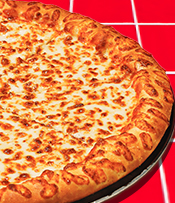
Cheese Pizza
Classic cheese pizza with source-backed size and crust choices.
110–370 calories per listed serving
 Pizza
Pizza
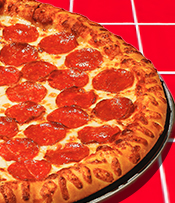
Pepperoni Pizza
Pizza topped with pepperoni.
110–380 calories per listed serving
 Pizza
Pizza
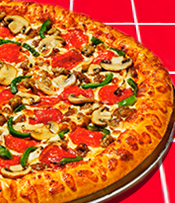
Supreme Pizza
The official Supreme recipe; recipe edits are not estimated.
120–410 calories per listed serving
 Pizza
Pizza
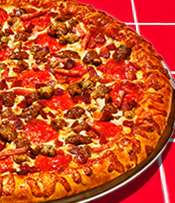
Meat Lover's Pizza
The fixed official Meat Lover’s recipe.
160–480 calories per listed serving
 Pizza
Pizza
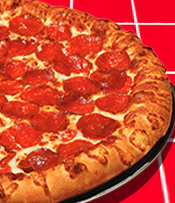
Pepperoni Lover's Pizza
The fixed official Pepperoni Lover’s recipe.
140–450 calories per listed serving
 Pizza
Pizza
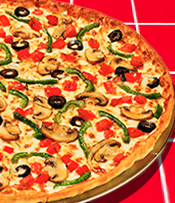
Veggie Lover's Pizza
The fixed official Veggie Lover’s recipe.
100–350 calories per listed serving
 Pizza
Pizza
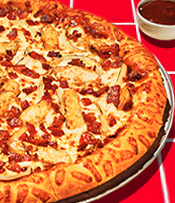
Backyard BBQ Chicken Pizza
The fixed official Backyard BBQ Chicken recipe.
130–400 calories per listed serving
 Pizza
Pizza
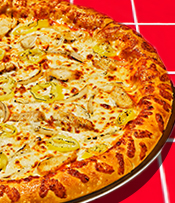
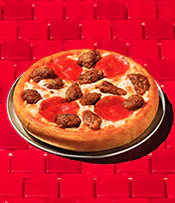
Buffalo Chicken Pizza
The fixed official Buffalo Chicken recipe.
100–350 calories per listed serving
 Pizza
Pizza
Create Your Own Pizza
Choose a source-backed size, crust, sauce, cheese, toppings, and optional finisher. The official component template changes automatically at three toppings.
Build a source-backed pizza
 Melts
Melts
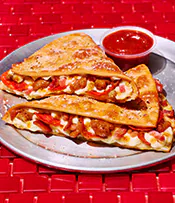
Meat Lover's Melt
Choose the official half or whole Melt serving.
560–1080 calories per listed serving
 Melts
Melts
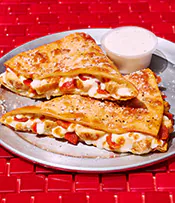
Chicken Bacon Parmesan Melt
Choose the official half or whole Melt serving.
690–1170 calories per listed serving
 Melts
Melts
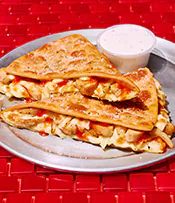
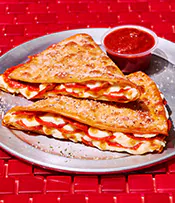
Buffalo Chicken Melt
Choose the official half or whole Melt serving.
610–1100 calories per listed serving
 Melts
Melts
Pepperoni Lover's Melt
Choose the official half or whole Melt serving.
580–1130 calories per listed serving
 Pasta
Pasta
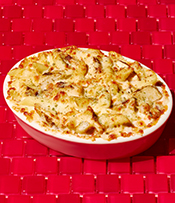
Oven-Baked Chicken Alfredo Pasta
One source-backed order.
920 calories per listed serving
 Pasta
Pasta
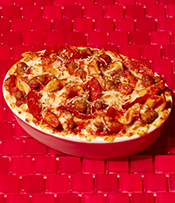
Oven-Baked Italian Meats Pasta
One source-backed order.
850 calories per listed serving
 Pasta
Pasta
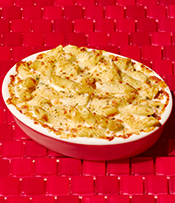
Oven-Baked Cheesy Alfredo Pasta
One source-backed order.
880 calories per listed serving
 Pasta
Pasta
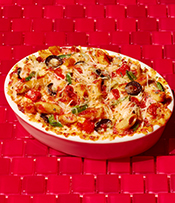
Oven-Baked Veggie Pasta
One source-backed order.
640 calories per listed serving
 Sides
Sides
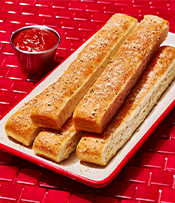
Breadsticks
Nutrition shown per stick; adjust quantity in your meal.
140 calories per listed serving
 Sides
Sides
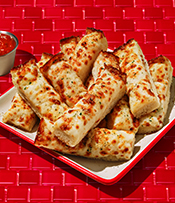
Cheese Sticks
Nutrition shown per cheese stick.
100 calories per listed serving
 Sides
Sides
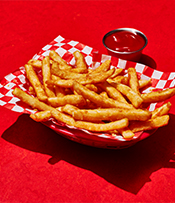
Straight-Cut Fries
One source-backed serving with ketchup.
500 calories per listed serving
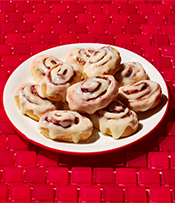 Desserts
Cinnabon Mini Rolls
Nutrition is shown for the official serving basis.
830 calories per listed serving
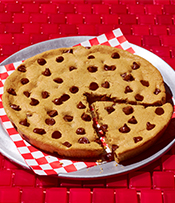 Desserts
Ultimate Chocolate Chip Cookie
Nutrition is shown for the official serving basis.
190 calories per listed serving
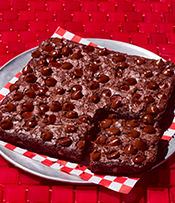 Desserts
Triple Chocolate Brownie
Nutrition is shown for the official serving basis.
230 calories per listed serving
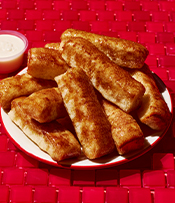 Desserts
Cinnamon Sticks
Nutrition is shown for the official serving basis.
40 calories per listed serving
 Drinks
Pepsi
Choose the current national bottle size.
250–840 calories per listed serving
 Drinks
Diet Pepsi
Choose the current national bottle size.
0 calories per listed serving
 Drinks
Mtn Dew
Choose the current national bottle size.
290–950 calories per listed serving
 Drinks
Starry
Choose the current national bottle size.
240–900 calories per listed serving
 Dips
Dips
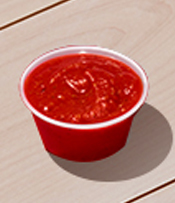
Dipping Sauce
Choose a source-backed dip. Garlic is not shown because the dated nutrition source has no auditable standalone mapping.
45–220 calories per listed serving
 Wings
Wings
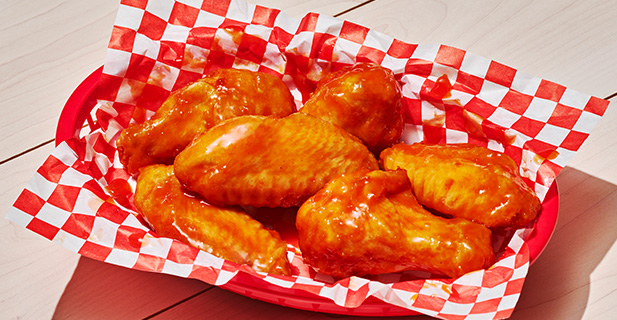
Wings
Choose wing type, count, and one official flavor. Flavor rows already include the sauce or rub and are never counted twice.
80–140 calories per listed serving
No products match this search and category.
Calculator guide
Use the Pizza Hut calorie calculator with the right serving and configuration
A useful calorie total starts with more than choosing a product name. Pizza size, crust, sauce, toppings, wing type, flavor, count, drink size, and the amount actually eaten can all change the result. This guide explains what the Pizza Hut calorie calculator covers, how its dated source rows become a meal total, and how to read the result without confusing one serving with a full order.
The calculator remains the primary tool above. Use the sections below when you need the method, a repeatable workflow, serving examples, limitations, or a quick answer before building another meal.
What is the Pizza Hut calorie calculator?
The Pizza Hut calorie calculator is an independent browser-based tool for assembling a meal from a normalized National Standard Menu catalog. Instead of publishing a separate card for every possible size and crust combination, it keeps recognizable products together. Choose Pepperoni Pizza once, for example, and then select the supported size and crust inside its configurator. Wings similarly keep type, count, and flavor together. That structure makes comparison easier while preserving the source configuration that determines the nutrition row.
Each configured line contributes calories plus total fat, saturated fat, trans fat, cholesterol, sodium, total carbohydrate, dietary fiber, total sugars, and protein. The live meal summary adds those ten fields across pizza slices, wings, sides, desserts, drinks, dips, pasta, and Melts. Search and category filters help locate an item, while Copy creates a plain-text record of the selected lines, totals, source date, and independence reminder.
This tool is best used to compare clearly described alternatives or to total a meal you can represent with supported rows. It is not an ordering menu, a price list, or a statement that every listed product is available at every restaurant. Start with the separate Pizza Hut menu calorie guide when you want to scan product categories before configuring them.
How the Pizza Hut calorie calculator works
The catalog begins with dated Pizza Hut nutrition material and associated calculator data. During development, recognizable products and their supported choices are normalized into one local catalog. The public page loads that committed catalog from this website; it does not send each selection to Pizza Hut or depend on a live vendor response. The source date shown above the calculator tells you when the current snapshot was captured. The nutrition methodology and source page documents the fields, qualifiers, and source boundaries in more detail.
For a specialty pizza, the selected size and crust resolve to a finished official per-slice row. The preview can multiply that row by the official slice count to show a full-pizza comparison, but the meal line begins with one slice. Create Your Own pizza follows a different path: it combines only source-associated components for the selected size, crust, sauce, cheese, and compatible toppings. When a third topping is chosen, the calculator switches to the source template for three or more toppings and preserves compatible choices. It does not treat a specialty pizza as a shortcut for a custom build.
Other product types resolve according to their own source basis. A wing preview combines the chosen wing type and flavor, then multiplies the per-wing row by the selected count. Because that row already represents the flavored wing, the flavor is not added again as a separate sauce. Melts resolve to the supported Half or Whole row. Drinks use the available bottle size. Sides, dips, pasta, and desserts display the serving language attached to the selected row so you can decide whether the meal quantity should represent a piece, order, container, or another listed unit.
Arithmetic also preserves source uncertainty. A value marked as less than a threshold keeps the less-than qualifier when multiplied or added. If a required value is unknown, that nutrient is reported as incomplete instead of being converted to zero. This matters because a clean-looking number can be misleading when part of the source is missing. Known nutrients continue to total, while the incomplete field remains visibly qualified.
Steps: calculate a Pizza Hut meal
List what will actually be eaten
Separate the meal into components before using the tool: pizza slices, wings, sides, dips, desserts, pasta, Melts, and drinks. Include a sauce or drink only when it will be consumed. This prevents a bundle name from hiding items that need their own nutrition lines.
Find the recognizable product
Use Search menu or choose a category. Open one product card rather than searching for a separate card for every crust, size, or flavor. If the intended item is not in the National Standard Menu catalog, do not substitute a similarly named product and assume it has the same values.
Match every supported configuration
Choose the actual size, crust, sauce, cheese, toppings, Melt portion, wing type, flavor, count, drink size, or serving option shown in the configurator. Read the preview before adding the line. A correct product with the wrong crust or serving can produce the wrong comparison.
Add the configured serving
Add the item once after the preview matches. Pizza normally enters the meal as one slice even when the preview also shows the whole pizza. Wings enter as the selected count. Other items follow their displayed source basis. Do not add a wing flavor twice or mistake a full order for a single piece.
Adjust meal quantity, then add the rest
Increase the line quantity to the number of listed servings expected to be eaten. Add every remaining component separately. Keeping components visible makes it easier to test a different slice count, remove a dip, compare a drink size, or replace a side without rebuilding the whole meal.
Review, compare, and copy
Check the line labels and all ten totals, not calories alone. Compare one change at a time when evaluating alternatives. Use Copy meal summary when you want a text record with the selections and source date. Use Reset before planning an unrelated meal so old lines are not carried into the next total.
How to interpret calories, nutrients, and serving totals
Read each meal line before reading the grand total. The line should identify the product, chosen configuration, source serving, and meal quantity. A 300-calorie line is meaningful only when you know whether it describes a slice, wing count, half Melt, whole Melt, bottle, piece, or order. If several people share a meal, the calculator does not know who ate which part; represent each person's portions deliberately rather than dividing the grand total without checking the serving basis.
Calories are one field, not a complete description of the meal. Sodium, saturated fat, carbohydrate, sugar, protein, and the other listed nutrients may respond differently when an item is changed. For a clearer comparison, keep most of the meal fixed and change one configuration or quantity at a time. That reveals the effect of the choice instead of mixing several changes into one unexplained difference.
A whole-pizza preview and the meal quantity answer different questions. The preview compares the complete pizza using its official slice count. The meal line totals the number of per-slice servings you add. Do not multiply both.
Less-than and incomplete labels should remain part of your interpretation. Less than one gram is not the same as an exact zero, and an incomplete nutrient is not a complete total. Copying the summary keeps those qualifiers with the numbers so the result is less likely to lose its source context.
Sources, accuracy, allergens, and limitations
The calculator can reproduce supported source arithmetic, but no static catalog can promise that a menu, recipe, supplier, serving, or preparation method has not changed. Restaurant portions can vary, and local or limited-time items may differ from the National Standard Menu. Values here should therefore be read with the source date and configuration label. For current decisions, compare the result with the linked official Pizza Hut nutrition information.
Allergen output is intentionally narrow. It lists affirmative Contains flags found with the selected row, but a missing flag is not evidence that an item is free from an allergen. The tool cannot evaluate cross-contact, substitutions, shared cooking areas, or a restaurant's current handling practices. Review the official allergen tool and read this site's nutrition and allergen disclaimer when allergy information affects a decision.
The results are not medical advice and do not determine an individual calorie target, treatment plan, or dietary requirement. The calculator does not know your health history or goals. A qualified clinician or registered dietitian can interpret nutrition information in the context of your needs.
Editorial transparency and updates
Pizza Hut Calorie Calculator is an independent publisher and is not affiliated with or endorsed by Pizza Hut. We normalize dated public nutrition information, keep configuration logic in a versioned local catalog, and expose the source date beside the tool. We do not copy an ordering menu, claim access to restaurant systems, or present the calculator as an official Pizza Hut service.
The About and editorial policy page explains ownership and review practice. Corrections can be sent through the contact page. Include the product, configuration, source link, and date so a reported difference can be checked against the correct row.
Pizza Hut calorie calculator FAQ
These answers summarize the calculator's scope, serving rules, source handling, privacy, and limits.
Where does the nutrition information come from, and how current is it?
The current catalog is normalized from Pizza Hut nutrition information and its associated calculator data captured on July 28, 2026. The source date is shown beside the tool because nutrition rows can change. This site does not query a live restaurant system. Check the linked official nutrition source before relying on a value for a current order or a decision that depends on the latest information.
How should I use servings and quantities?
First match the item configuration to the source row, then use meal quantity to represent how many of that listed serving you expect to eat or drink. A pizza line normally begins with one slice, while a side, dessert, pasta, Melt, wing, dip, or drink follows the serving basis displayed in its preview. Read that basis before increasing quantity so an order, piece, slice, bottle, or wing is not mistaken for another unit.
Can the calculator show calories for a whole pizza?
Yes. For a supported finished pizza configuration, the preview shows the official per-slice row and a whole-pizza total calculated with that configuration's official slice count. Your meal still starts from the per-slice serving so you can add the number of slices you plan to eat. The whole-pizza view is a comparison aid and should not be confused with the quantity already added to the meal.
How are Create Your Own pizza calories calculated?
Create Your Own pizza uses source-associated components for the selected size, crust, sauce, cheese, and compatible toppings. It applies the portion multiplier supplied for each option group and automatically switches from the one-to-two-topping template to the three-or-more-topping template when required. It does not estimate an arbitrary ingredient, substitute a specialty-pizza row, or add toppings that are absent from the supported source configuration.
Does the calculator identify allergens or guarantee an allergen-safe meal?
The tool displays only affirmative Contains flags associated with the selected source rows. An empty list does not mean allergen-free, and the calculator cannot evaluate preparation, substitutions, supplier changes, shared equipment, or kitchen cross-contact. It does not guarantee that a meal is safe for an allergy or intolerance. Review current official allergen guidance and contact the restaurant when that information affects your decision.
How accurate are the totals, and when are they updated?
Totals follow the selected catalog rows, quantities, official component multipliers, and source qualifiers. A less-than value keeps its less-than meaning, while a required unknown value makes that nutrient incomplete instead of silently treating it as zero. That arithmetic can be checked, but it cannot remove normal restaurant variation or make an older source current. The catalog is reviewed against dated official material, and the displayed source date changes when the underlying snapshot is replaced.
Is my meal saved or sent to a server?
The calculator saves the current meal in versioned storage in your own browser so a refresh can restore compatible lines, filters, and quantities. It does not create an account or send a meal profile to this site's server. Reset removes the saved meal for this calculator. Clearing browser storage, using private browsing, changing devices, or a catalog-version change can also remove or invalidate the saved state.
Can this calculator tell me what I should eat?
No. It is a comparison and meal-planning tool, not medical advice, a diagnosis, or a personal nutrition prescription. It can help you see how a configuration or quantity changes calories and other listed nutrients, but it does not know your health history, dietary requirements, or clinician's guidance. Use the totals as one input and seek qualified professional advice when you need an individual recommendation.
Step 1 of 3
Find a menu item
Use search or a category filter to narrow the Pizza Hut menu.